How to Use AI Agents: AI Chat Is Not AI Productivity
Knowing how to chat with AI is not the same as using an agent. This article uses Marvis as a simple desktop-agent example and explains how to teach an agent a repeatable workflow, validate the output, and save the process into reusable memory.
Main answer
AI chat is not the same as AI productivity. An agent becomes useful when it can follow a repeatable workflow and validate the result.
Who should read this
For readers who already use AI chat, but want to use agents for local files, document archiving, meeting notes, and reusable memory.
Key check
The article uses Marvis as a desktop-agent example and shows how to teach a workflow before execution.
Next step
Start with one small repeated task instead of aiming for full automation on day one.
How to Use AI Agents: AI Chat Is Not AI Productivity
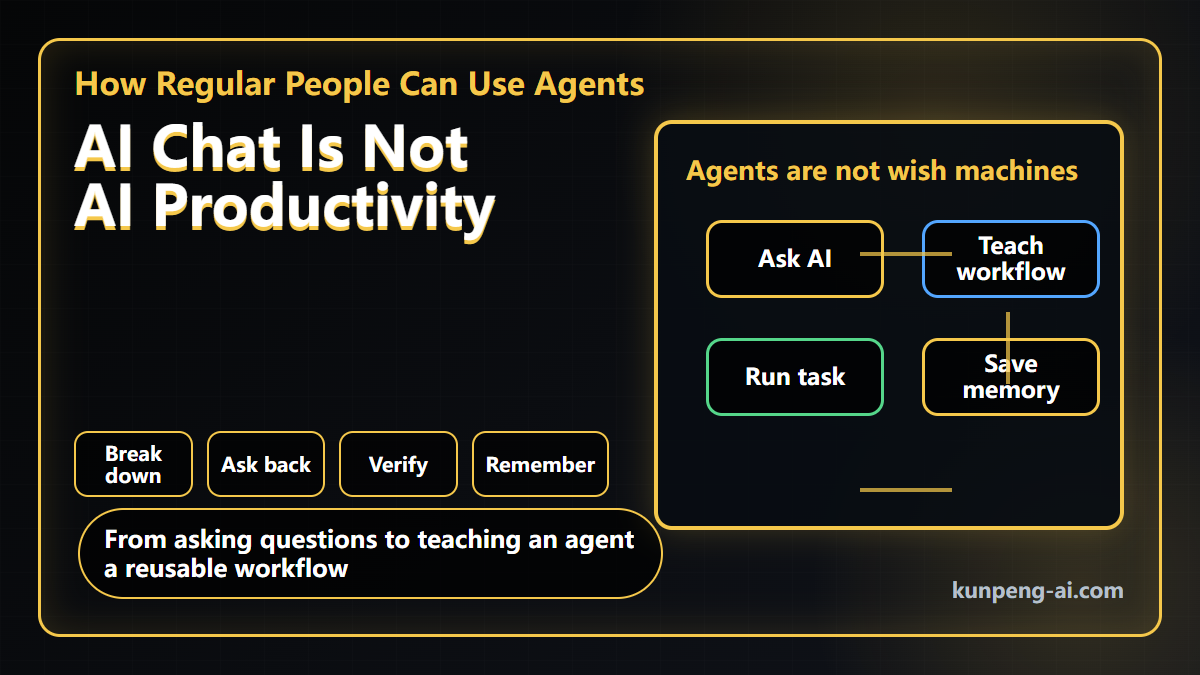
I recently met a few viewers offline and talked about how they use AI in daily work. One pattern was very clear: they do use AI, but mostly as a chatbot. When they have a question, they ask a tool like Doubao. When they need a paragraph cleaned up, they ask the model to rewrite it.
That is useful. It saves time.
But it is still not the same as using an AI agent for productivity work.
If you want AI to help with local files, project notes, document archiving, meeting summaries, or turning scattered materials into a reusable knowledge base, a simple chat habit is not enough. You need to teach the agent how to work inside a workflow.
This article is not a claim that Marvis can already handle every office task reliably. I am using Marvis as an accessible desktop-agent example. The real point is the method: how a normal user should teach a local agent to do repeatable work.
AI chat is not the same as using an agent
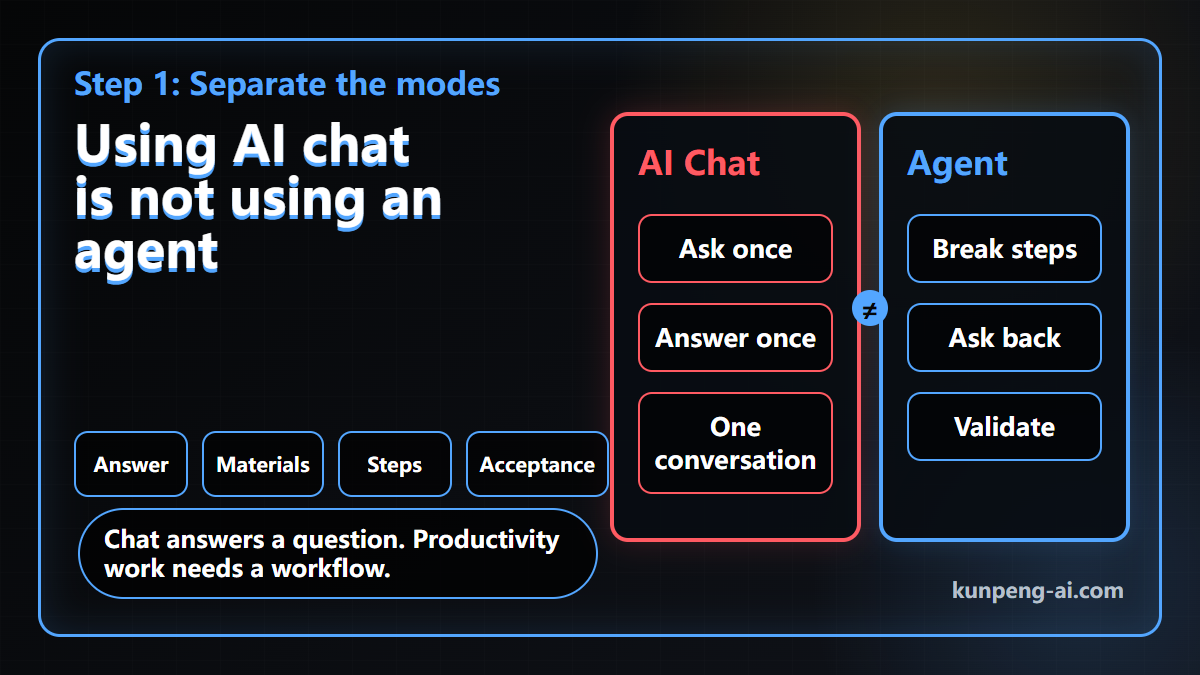
The smallest unit of AI chat is a question and an answer.
You ask what an article means. It answers.
You ask it to polish a paragraph. It answers.
You ask for an explanation of a concept. It answers.
There is nothing wrong with this. But it is still Q&A.
The smallest unit of AI productivity is not an answer. It is a workflow. The agent needs to understand the goal, inspect the materials, break down the steps, ask for missing information, execute, and then check whether the output is usable.
For example, imagine asking an agent:
Please organize the project documents in this folder.That sounds clear to a human, but it leaves many decisions open. Which files count as project documents? Should they be grouped by date, topic, meeting, requirement, or deliverable? Should duplicate content be merged? Should the final output be a Markdown summary, a table, or a folder structure?
When people say agents feel unreliable, part of the problem is that we still talk to them like chatbots. A desktop agent needs more operating rules than that.
On the first run, teach before execution
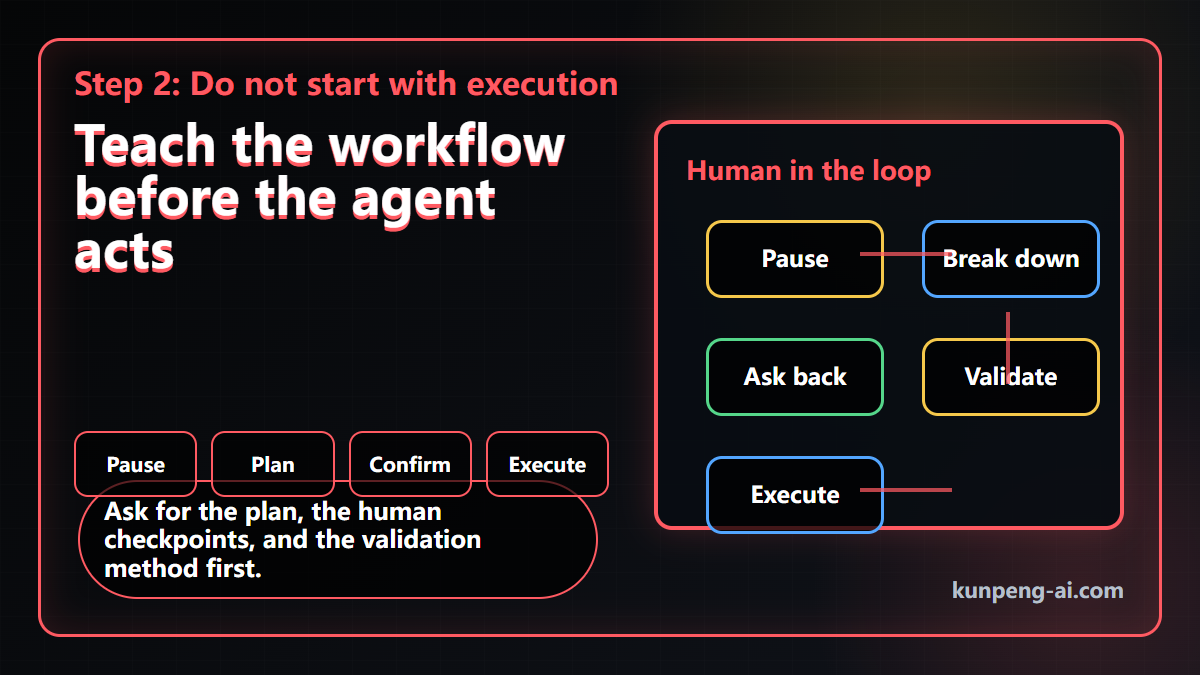
I prefer to treat the first run like onboarding a new assistant. You are not making a wish and waiting for a perfect result. You are teaching the agent how this kind of task should be handled.
For a document-archiving task, the first prompt can be simple:
I want you to help me organize a batch of project documents. Do not execute yet.

First, tell me:
1. What goal you think this task is trying to achieve;
2. What steps you would split the task into;
3. What information you need me to confirm before continuing;
4. What criteria you would use to classify the documents;
5. How you would check for missing files, wrong categories, or missing key information.

Wait for my confirmation before you start.
The important part is not making the prompt sound impressive. The important part is forcing a few checks before the agent acts:
- Ask the agent to restate the goal, so you can catch misunderstanding early.
- Ask it to break down the work, so you can see the execution path.
- Ask it to list the questions that require human confirmation.
- Ask it to define validation, so the result can be checked instead of merely accepted.
After the agent returns the plan, you can adjust the categories, clarify the output format, and mark which decisions it should never guess on its own.
Only then should you let it execute.
After the task, do not just take the output
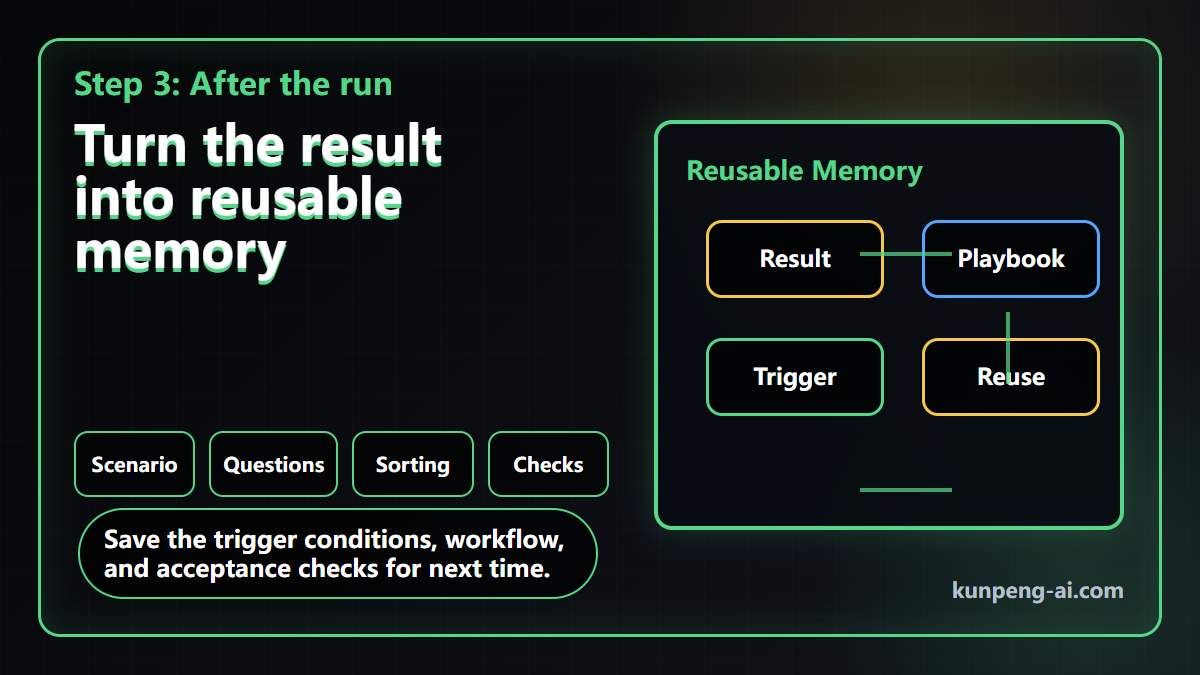
A common habit is to take the result and close the task.
That leaves value on the table.
The better move is to ask the agent to turn the run into a reusable playbook. The goal is not only to remember what happened this time. The goal is to make the next similar task easier to start.
Ask the agent to save:
- Scenario: when this workflow should be used.
- Inputs: what files, context, and constraints are usually needed.
- Steps: the standard order of work.
- Human checkpoints: where it must ask instead of guessing.
- Acceptance checks: how to judge whether the result is usable.
- Risks: where it tends to miss, misclassify, or over-summarize.
- Trigger rule: what future request should activate this workflow.
Then put the trigger rule into long-term memory or persistent rules. For example:
When I upload multiple project documents and ask for archiving, summarizing, consolidating, or building a reusable project knowledge base, do not generate the final report immediately.

First, use the project document archiving playbook. Output the task breakdown, the information I need to confirm, the classification criteria, and the validation method.

After I confirm, execute the task. At the end, provide a self-check and ask whether the playbook should be updated.
This is where an agent starts feeling different from chat. The next time a similar task appears, it does not have to guess your preferences from scratch. It can start from the workflow you already taught.
The skill to practice is workflow thinking
The first useful habit is not writing one perfect prompt.
It is changing the interaction model from asking AI questions to teaching an agent how to work:
- Define the task goal.
- Let the agent break down the steps.
- Make it ask for human confirmation where needed.
- Make it explain how the result will be checked.
- After the run, turn the process into reusable memory.
Knowing how to chat with AI is not the same as knowing how to use an agent. Using an agent is also not the same as making a wish.
If you want a local agent that can actually help, start with a small repeated task. Do not aim for full automation on day one. Teach one verifiable workflow, save it, and reuse it.
In the next test, I will use Marvis on a more concrete document-archiving workflow and record where it works smoothly, where it needs human help, and where the current product still feels fragile.
Continue reading
Key Takeaways
- - The smallest unit of AI chat is a question and an answer; the smallest unit of AI productivity is a workflow.
- - On the first run, ask the agent to restate the goal, split the steps, list human checkpoints, and define validation.
- - After the task, turn the run into a reusable playbook and long-term memory trigger.
- - The real skill is workflow thinking, not writing one perfect prompt.
Need another practical guide?
Search for related tools, error messages, setup guides, and engineering notes across the site.
FAQ
Is this article a Marvis recommendation?
No. Marvis is used as an accessible desktop-agent example. The article is mainly about how to teach an agent to work.
What is the main difference between AI chat and using an agent?
AI chat usually answers one question at a time. Using an agent requires defining a goal, workflow, checkpoints, execution, and validation.
What is the most common first-time agent mistake?
Giving the agent a complex task immediately without first teaching the process, boundaries, confirmation points, and acceptance checks.
Voluntary Support
Buy me a coffee
Voluntary support for field tests, server costs, and small open tools. No account, no subscription, no promised delivery.

Alipay QR code
Want to appear on the supporters wall?
After supporting, send your nickname, optional link, and one short note. I will review it manually before publishing.