How to Choose GPT-5.6 Sol, Terra, and Luna: The Useful Shift Is Task Layering
GPT-5.6 includes Sol, Terra, and Luna. For individuals and small teams, the practical question is not which model is strongest, but how to match task difficulty, failure cost, speed, and volume to the right model.
Main answer
GPT-5.6 is most useful when difficult judgement, everyday knowledge work, and high-volume execution are assigned to different model tiers with clear escalation rules.
Who should read this
For people and small teams using ChatGPT, Codex, or APIs who need a practical way to choose models for everyday work.
Key check
OpenAI positions Sol as the flagship model, Terra as the balanced model for everyday work, and Luna as the fast, cost-efficient model.
Next step
List your real tasks, group them by failure cost and complexity, and use the lowest tier that meets the requirement. Escalate when evidence, risk, or verification demands it.
What You'll Learn
- + The practical roles of GPT-5.6 Sol, Terra, and Luna
- + Why sending every task to the flagship model is wasteful
- + How to build a simple three-tier model workflow
- + When a task should move from Luna or Terra to Sol
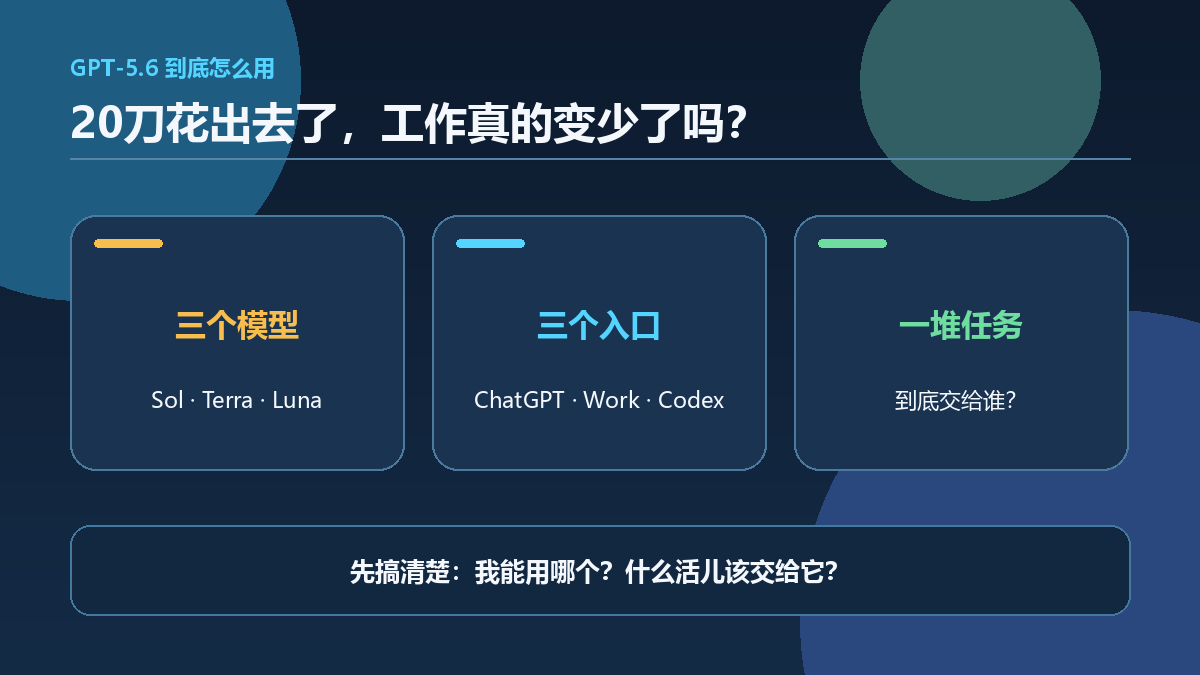
When GPT-5.6 arrived with Sol, Terra, and Luna, many people asked the obvious question: which one is the strongest?
It is a fair question, but it is not the most useful one. The question that determines whether AI actually helps your work is this: can you give tasks with different levels of difficulty, risk, and frequency to the right model?
A company would not ask its most expensive specialist to format every spreadsheet. It would not ask a junior assistant to make a high-stakes decision alone either. Model selection works the same way.
Start with the roles, not a leaderboard
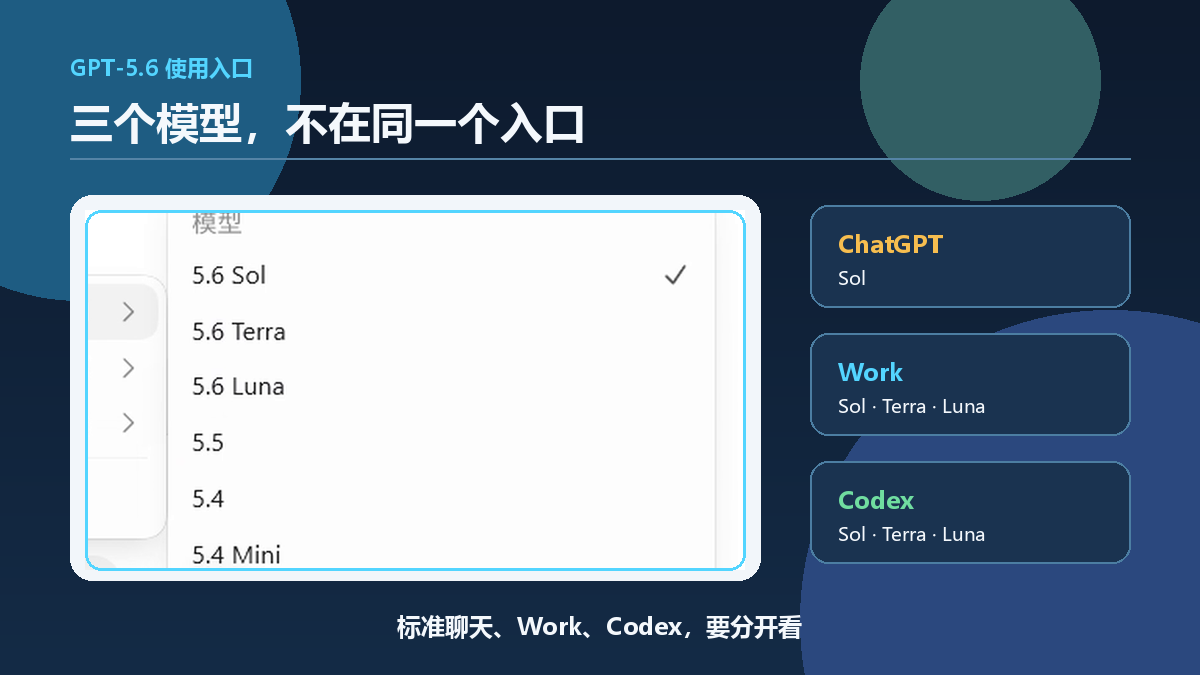
OpenAI presents the GPT-5.6 family as three different working resources:
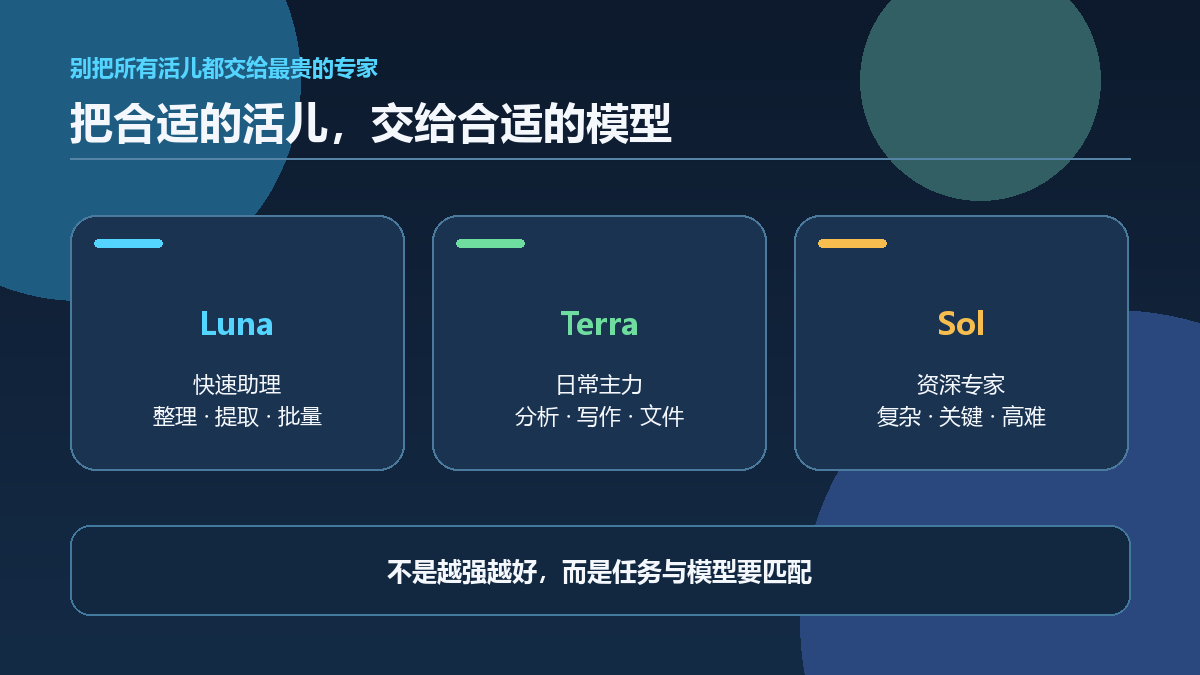
- Sol is the flagship model for the hardest and most complex work.
- Terra balances capability and cost for everyday work.
- Luna emphasizes speed and cost efficiency.
The models you can select also depend on the product entry point, plan, workspace, and rollout. Treat your actual interface as the final source of availability.
That distinction matters because real work is never just one kind of task. A research brief may require comparing primary sources. A backlog of customer comments may only need tagging. A key code change needs tests and review. A meeting summary may need a quick first pass, followed by deeper work on decisions and action items.
If every task goes to Sol, you may add cost and waiting time without adding value. If every task goes to Luna, more complex work may not receive enough reasoning depth or evidence checking.
Tier 1: Luna for frequent, bounded, easy-to-check work
Luna fits work with clear input and output boundaries, low failure cost, and results that can be checked quickly.
Examples include:
- tagging customer feedback;
- extracting names, dates, and amounts from a fixed format;
- standardizing a batch of titles;
- producing length variants from already approved copy;
- applying an initial filter against explicit rules.
The common feature is not that these tasks are unimportant. It is that their acceptance criteria can be written down, and an individual failure is usually easy to spot.
Keep the workflow bounded: give Luna a stable input format, a clear output structure, and a quick validation step. Do not ask it to freely improvise where consistency is what you need.
Tier 2: Terra for everyday knowledge work
For many people and teams, Terra can be the everyday default. It is well suited to organizing meeting notes and action items, drafting an article or proposal from supplied materials, analyzing a table and explaining anomalies, revising ordinary business code, preparing first drafts for customer service or sales, and synthesizing information across internal documents.
These tasks need contextual understanding, but they do not necessarily justify the heaviest reasoning model every time. Still, “default to Terra” does not mean “trust every result by default.” Teams should decide which outputs can be used directly, which need sources, and which need a responsible person to approve them.
Tier 3: Sol for complexity and high consequences
Sol is most useful in two situations.
The first is genuine complexity: long research chains, cross-system debugging, a large codebase change, constrained planning, or analysis that must weigh many pieces of evidence at once.
The second is a high cost of failure. A task can look simple while a mistake affects money, permissions, privacy, safety, legal exposure, or public trust. That is a reason to raise both the model tier and the level of human review.
Examples include:
- diagnosing and proposing a fix for a production incident;
- checking key facts and claims before a public release;
- reviewing agent actions involving access rights or sensitive data;
- making an architecture decision that affects multiple systems;
- assisting with important contracts, policies, or compliance materials.
Sol is not the final accountable party. It can expand the quality of analysis, but a person with the right authority still owns the final decision.
The real advantage is an escalation path
The most useful workflow is not a permanent three-way choice. It is a workflow that can escalate.
For example, Luna can extract a batch of fields first. If format validation fails, confidence is low, or unexpected fields appear, move the item to Terra. If Terra finds conflicting sources, needs complex tool use, or reaches a high-risk operation, move the work to Sol and a human owner.
This is more efficient than sending everything to Sol from the start. It is also more dependable than keeping every job on the lowest-cost tier.
Write escalation rules in four groups:
- Evidence is insufficient. A primary source is missing, or sources conflict.
- The task becomes more complex. It requires multiple systems, long context, or several tool calls.
- The cost of failure rises. The work affects production, money, privacy, access, or public communication.
- Verification fails. Tests fail, required fields are missing, the format is invalid, or a sample review finds an error.
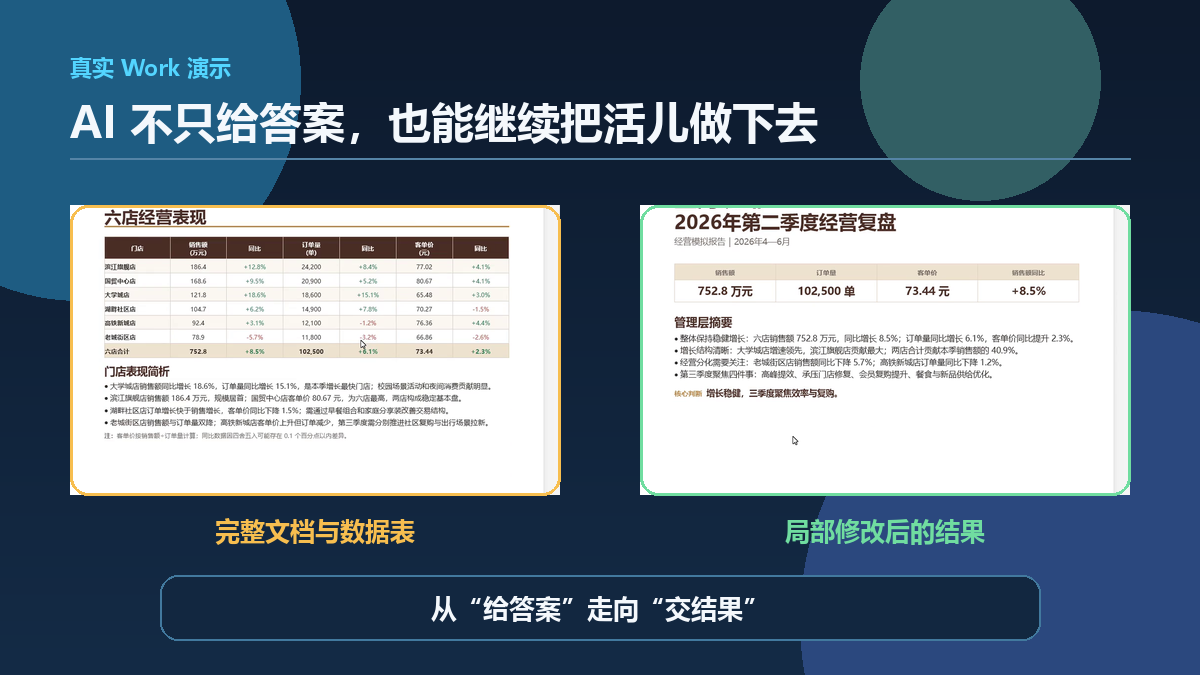
The point of model layering is not to stop at an answer. It is to let the right model continue into documents, tables, and deliverable results. The example below shows a business review document produced in Work.
A simple starting point for small teams
You do not need an automatic routing platform on day one. Start with a list of the 20 AI tasks your team has used most often over the last two weeks. For each one, record how often it happens, what happens if it fails, whether there is a clear automatic check, and whether it needs access to tools or sensitive data.
Then use a simple default:
| Task type | Default tier | Main verification |
|---|---|---|
| Frequent, standardized, easy to check | Luna | Format checks and sampling |
| Everyday analysis, writing, and coding | Terra | Sources, tests, and human review |
| Complex or high-consequence work | Sol | Multiple sources, full tests, owner approval |
After a week, review cost, time, rework rate, and failure patterns. The most useful selection data comes from your own work, not someone else’s benchmark chart.
Three boundaries to keep
A stronger model does not deserve broader permissions
Model capability and system permissions should be managed separately. An agent that can call more tools also needs stronger approval, logging, and rollback controls.
A cheaper model does not always lower total cost
If a lower-cost model creates heavy rework, manual checking, or customer complaints, the end-to-end cost can be higher. Measure the whole workflow, not only token price.
Automatic routing does not mean automatic accountability
A router can choose a model. It cannot decide what “complete” means, who accepts the result, or what happens after a failure. Those are workflow responsibilities.
Our view
The important GPT-5.6 change is not simply how far Sol raises the capability ceiling. It is that OpenAI is treating models as different kinds of working resources.
The old question was: “Which AI is smartest?” The more practical question is now: “Which tier belongs on this task, when must it escalate, and who verifies the final result?”
As model choices increase, decisions should rely less on instinct. Layer the tasks, make the risks visible, and build a clear escalation path. That is where GPT-5.6 becomes useful for individuals and small teams.
Sources
Key Takeaways
- - The strongest model is not the default answer for every task; task layering matters more than a model ranking.
- - Use Luna for high-volume, bounded work; Terra for everyday analysis and drafting; and Sol for complex or high-consequence work.
- - Model selection should consider failure cost, tool permissions, and verification requirements, not only prompt length.
- - A dependable workflow needs escalation, review, and fallback paths rather than a one-time model choice.
Need another practical guide?
Search for related tools, error messages, setup guides, and engineering notes across the site.
FAQ
Should everyday writing always use Terra?
Terra is a reasonable starting point for many routine knowledge tasks, while batch extraction and formatting can fit Luna better. Move to Sol when a task needs complex judgement, important verification, or carries material risk.
Does Sol guarantee a correct answer?
No. A more capable model can still be wrong when evidence is missing, tool access is unsuitable, or acceptance criteria are vague. High-risk work still needs evidence and human review.
Do individual users need automatic model routing?
Usually not at first. A short task checklist and deliberate manual selection are enough until task volume and patterns become stable.
Voluntary Support
Buy me a coffee
Voluntary support for field tests, server costs, and small open tools. No account, no subscription, no promised delivery.

Alipay QR code
Want to appear on the supporters wall?
After supporting, send your nickname, optional link, and one short note. I will review it manually before publishing.